Discover why two-factor authentication (2FA) is a critical layer of protection for your digital accounts, how it works, and how you can enable it to stay safe online.

Introduction
Imagine you log into your email or banking app with your password—only to receive a notification minutes later that someone else has accessed your account. This scenario plays out more often than we think. Passwords alone are increasingly vulnerable to phishing, reused credentials, and sophisticated cyberattacks. That’s where two-factor authentication (2FA) becomes a game-changer: it adds a critical extra layer of security. In this article, we’ll explore what 2FA means, why it matters, how it works, how you can enable it, and what challenges come with it.
What is Two-Factor Authentication (2FA)?
Two-factor authentication means that when you log in, you provide two separate types of factors to prove your identity—rather than just a password. Typically, these fall into categories:
- Something you know (e.g., a password or PIN)
- Something you have (e.g., a mobile device, authentication app, hardware token)
- Something you are (e.g., biometric data like fingerprint or face ID)
With 2FA, you combine two of these. For example: you enter your password (something you know) and then you enter a code from your phone (something you have). This approach dramatically strengthens security compared to password-only logins.
Why Passwords Alone Aren’t Enough
Passwords have many vulnerabilities:
- They can be weak, reused across multiple sites, or stolen in data breaches.
- Attackers may use phishing, password-spraying, or credential stuffing to gain access.
- According to Microsoft, more than 99.9% of account compromises involve accounts without MFA enabled. (Microsoft Learn)
- The sheer cost of data breaches (often in the millions of dollars) means relying on just one factor is no longer sufficient. (IS Decisions)
In short: when a password is the only gatekeeper, it’s a single point of failure. 2FA closes that loophole.
The Benefits of Enabling 2FA
When you enable 2FA, you get several major advantages:
- Significantly enhanced security: Even if someone gets your password, they still need your second factor. That extra barrier makes many attacks far less likely. (ISACA)
- Protection against common attack vectors: Brute-force, credential-stuffing, phishing and many other hacks lose much of their power when a second factor is required. (Crisis24)
- Low cost, high return: Many services offer 2FA free of charge; the protective benefit far outweighs the effort. (Silver Lining)
- Compliance & trust: For businesses, enabling 2FA helps meet regulatory requirements (data protection laws, financial services rules) and builds trust with customers. (Silver Lining)
How 2FA Works – Common Methods & Factors
Here’s a typical login flow with 2FA:
- You enter your username and password (something you know).
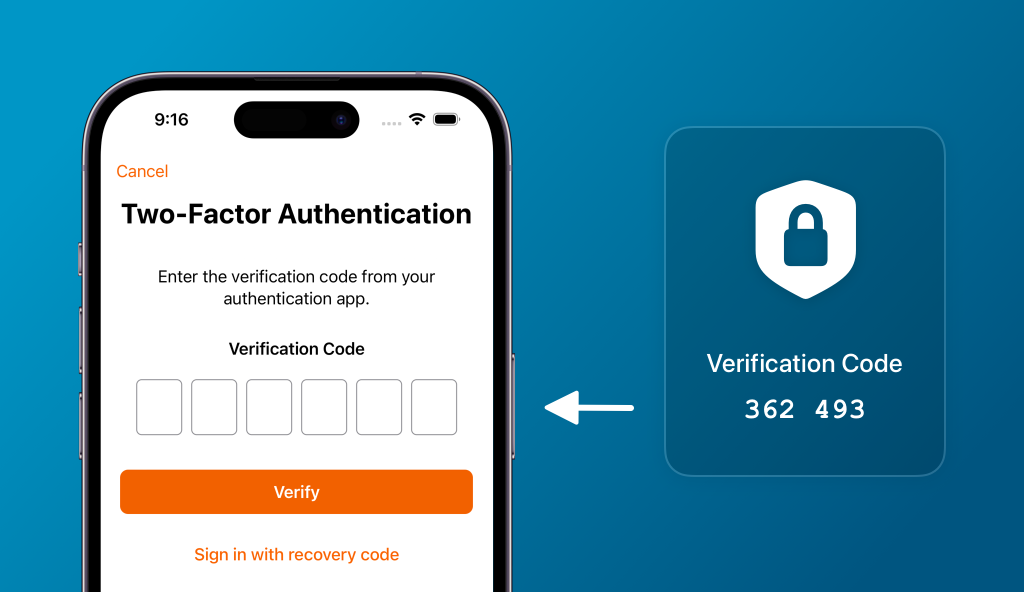
- The system asks for a second factor—this might be a code sent to your phone, a push notification, a hardware token, or biometric verification.
- Once both checks are passed, you gain access.
Common methods:
- SMS or voice code: A code is sent to your mobile phone.
- Authenticator app: e.g., Google Authenticator, Microsoft Authenticator – generates time-based codes.
- Push notification: You receive a prompt on your trusted device to accept or deny the login.
- Hardware security key: A physical token (USB/NFC) you use to verify.
- Biometric factor: Fingerprint or face recognition as second factor (in some setups)
Each method has advantages and trade-offs. For example: SMS is easy to set up but vulnerable to phone/SIM-swap attacks; hardware tokens provide strong security but can be more expensive or less convenient. As security researchers note, design choices in 2FA systems matter for effectiveness. (arXiv)
Challenges & Considerations When Using 2FA
While 2FA is a strong security measure, there are a few things to keep in mind:
- User friction: Some find the extra step inconvenient, which may reduce uptake.
- Device loss or change: If your phone is lost or you change devices without backup/recovery options, you could lock yourself out.
- Method weaknesses: Some second-factor methods (e.g., SMS) are more vulnerable than others. (Wikipedia)
- Inconsistent adoption: Many users/services still don’t enforce 2FA, and global uptake remains incomplete. Only about 57% of organizations have fully implemented MFA. (PatentPC)
- Inclusivity & accessibility: Some users (e.g., those with disabilities) face more hurdles using certain 2FA methods; research is ongoing on how to make authentication both secure and inclusive. (arXiv)
How to Enable 2FA – Practical Steps
Here’s a simple checklist you can follow:
- Identify your most sensitive accounts – email, banking, social media, cloud storage. Start there.
- Go to account settings → Security → Two-step verification / Two-factor authentication.
- Choose your preferred second factor (authenticator app or security key is best practice).
- Set up backup/recovery options (backup codes, secondary email or device) so you’re not locked out if you lose your primary method.
- Maintain strong, unique passwords anyway – 2FA is a layer, not a replacement for good password hygiene.
- Whenever possible, use the strongest 2FA method available (hardware token or app over SMS).
- Review your 2FA regularly and update if you change devices or accounts.
2FA in Business & Regulatory Context
For organisations, 2FA is not just a “nice-to-have” — it’s increasingly essential:
- As remote and hybrid work expand, employee access points multiply; 2FA helps ensure access is both authorised and verified. (Silver Lining)
- Many regulatory or industry frameworks expect or mandate multi-factor authentication for access to sensitive systems (financial, healthcare, government). (eMudhra)
- From a business perspective, preventing a breach through strong authentication saves potentially millions in incident cost, reputation damage and regulatory penalties. (IS Decisions)
Conclusion
Passwords alone are no longer sufficient. With cyber-threats evolving and credential theft rising, relying solely on knowledge-based authentication puts both individuals and organisations at risk. Two-factor authentication offers a simple yet powerful extra layer of defence. Whether you’re a casual user or managing an organisation’s security, enabling 2FA is one of the most effective steps you can take today. Don’t wait — if you haven’t enabled 2FA on your key accounts yet, do so now. Good security is not a one-time setup; it’s a continuous habit combining strong passwords + 2FA + awareness.
FAQs
Q1. What if my second-factor device is lost or stolen?
A: That’s why recovery options are vital: backup codes, trusted secondary device, alternative contact. If you lose access to your primary second factor, use the recovery method to restore access securely.
Q2. Does 2FA mean my account can never be hacked?
A: Not guaranteed — 2FA greatly reduces risk, but no measure is perfect. It’s part of a layered security strategy, including good password practices, awareness of phishing and keeping software up-to-date.
Q3. Is SMS-based 2FA good enough?
A: It’s better than nothing, yes, but it has known vulnerabilities (SIM-swap, interception). Where possible, opt for an authenticator app or hardware token.
Q4. Are there free 2FA apps I can use?
A: Yes — many are free (e.g., Google Authenticator, Microsoft Authenticator, Authy). Set one up and link it to your key accounts.
Q5. Will 2FA slow down my login process significantly?
A: Typically the extra step takes only seconds. The small time cost is vastly outweighed by the security benefit.